AI Playbook · Free build guide
Cinematic sites in ten minutes.
You’ve seen those expensive-looking animated websites everywhere lately. Here’s how to build one yourself with AI. Just two tools, one prompt, and no agency required.
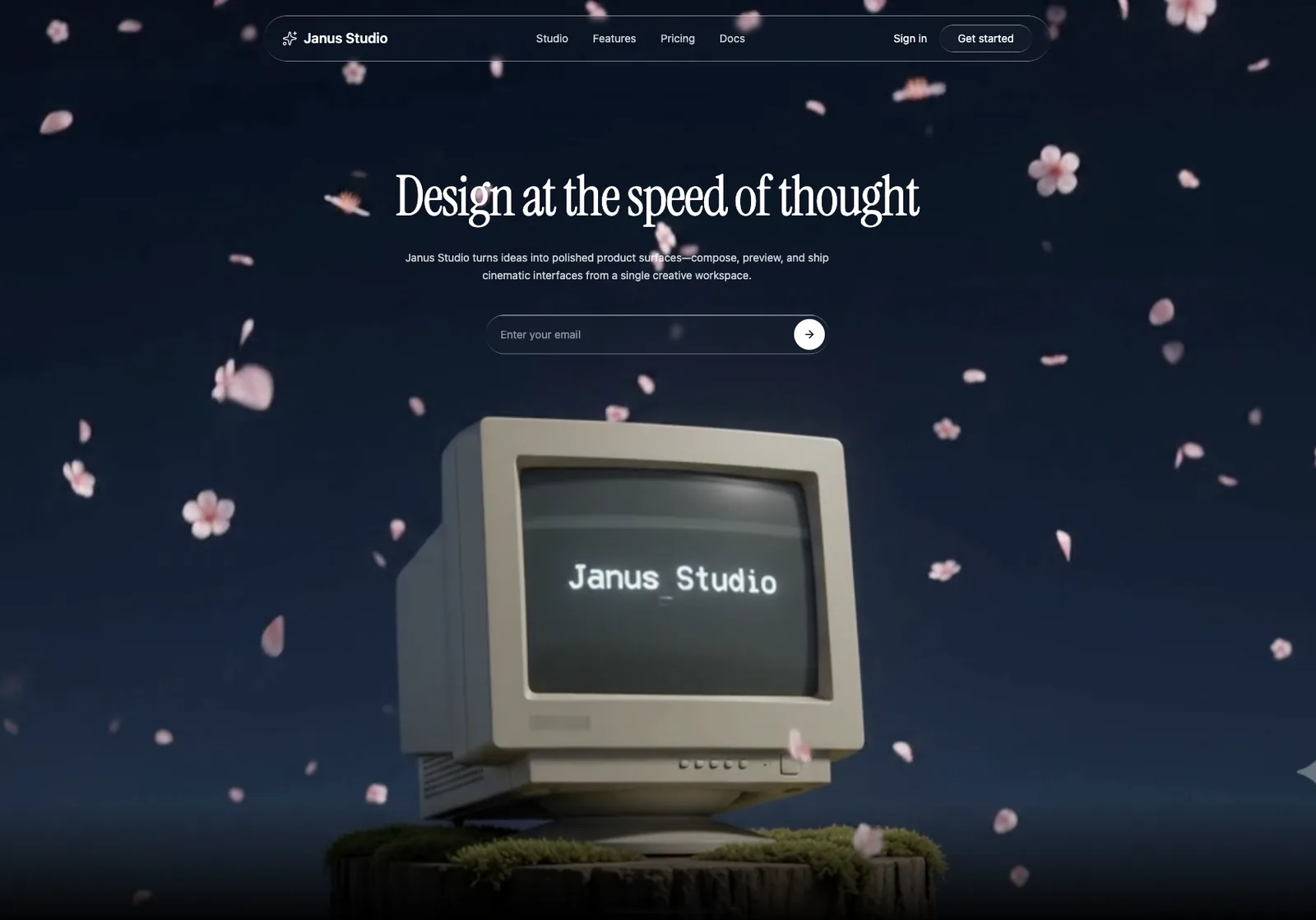
The look
Looks expensive. Isn’t hard.
These cinematic sites are popping up everywhere, and they look like they cost a fortune. Good news is they don’t. The whole trick comes down to one thing: a slow looping video sitting behind a clean hero section. Get that video right, drop it into a coding tool, and honestly you’re most of the way there.
- ~10Minutes, start to ship
- 2Tools. Not an agency.
- 5sOf video does the work
Step 01
Generate the loop.
Open Google Flow, or honestly any AI video generator you already have (Runway, Kling, Luma, whatever you like). You’re after one specific thing here: a seamless 5-second loop with slow, gentle motion.
A sleek modern laptop rests open on a mossy, ancient tree stump in a lush green clearing. A vibrant, clear blue sky serves as the background. Delicate pink flower petals slowly drift downwards through the air, catching the sunlight. Cinematic, soft lighting filters through the surrounding foliage, creating a serene, peaceful atmosphere. The laptop screen displays the clean, minimalist text "Janus Studio" in a modern sans-serif font. The camera executes a slow, subtle push-in towards the screen. Seamless 5-second loop with identical starting and ending frames, flawless looping, ultra-detailed 4K, cinematic realism.
Step 02
Build the hero.
Open Cursor, Claude Code, or whatever coding tool you like. Paste the prompt below and drop in your video. It builds the whole cinematic hero for you (glass nav, serif headline, email capture) with your loop playing behind it.
Build a single-page cinematic hero section for Janus Studio. Stack: React + TypeScript + Tailwind CSS + lucide-react (Vite). Single App.tsx + index.css. Match these specs exactly.

SECTION SHELL
- <section className="relative w-full h-screen overflow-hidden bg-black">
- Prevents white flash before the video loads.

BACKGROUND VIDEO (the hero visual)
- One full-screen <video>, absolutely positioned, object-cover, covering the whole viewport, z-0.
- Attributes: autoPlay, muted, loop, playsInline (all four are required or it won't autoplay on mobile).
- Video source: attached in the chat
- Add a subtle bottom fade: an absolutely positioned gradient div (h-40, from bg-black to transparent, z-10) so text stays readable over the footer.

FONT
- Import Instrument Serif (regular + italic): @import url('https://fonts.googleapis.com/css2?family=Instrument+Serif:ital@0;1&display=swap')
- Headings use font-family: 'Instrument Serif', serif. Body/buttons/nav use system-ui, sans-serif.

LIQUID GLASS (.liquid-glass class, use for nav bar, input, buttons)
.liquid-glass {
  background: rgba(255,255,255,0.01);
  background-blend-mode: luminosity;
  backdrop-filter: blur(4px);
  -webkit-backdrop-filter: blur(4px);
  border: none;
  box-shadow: inset 0 1px 1px rgba(255,255,255,0.1);
  position: relative;
  overflow: hidden;
}
.liquid-glass::before {
  content: '';
  position: absolute;
  inset: 0;
  border-radius: inherit;
  padding: 1.4px;
  background: linear-gradient(180deg,
    rgba(255,255,255,0.45) 0%, rgba(255,255,255,0.15) 20%,
    rgba(255,255,255,0) 40%, rgba(255,255,255,0) 60%,
    rgba(255,255,255,0.15) 80%, rgba(255,255,255,0.45) 100%);
  -webkit-mask: linear-gradient(#fff 0 0) content-box, linear-gradient(#fff 0 0);
  -webkit-mask-composite: xor;
  mask-composite: exclude;
  pointer-events: none;
}

CONTENT LAYER (z-10, flex column, full height)
- Nav (top): .liquid-glass rounded-full pill, max-w-5xl mx-auto, px-6 py-3, flex items-center justify-between.
  - Left: logo "{{BRAND}}", white, font-semibold text-lg (optional lucide icon, gap-2).
  - Center (hidden on mobile, md+): links {{NAV_LINKS}}, text-white/80 hover:text-white text-sm gap-8.
  - Right: "{{CTA_SECONDARY}}" plain white text + "{{CTA_PRIMARY}}" as a .liquid-glass rounded-full px-6 py-2 button.
- Hero (flex-1, centered, text-center, px-6):
  - Heading: "{{HEADLINE}}", Instrument Serif, text-5xl md:text-6xl lg:text-7xl, text-white, tracking-tight, mb-8.
  - Sub: "{{SUBTEXT}}", text-white/80 text-sm max-w-xl leading-relaxed.
  - Email capture: .liquid-glass rounded-full pill, transparent input (placeholder "Enter your email") + white circular submit button with a lucide ArrowRight icon.

RESPONSIVE: smaller heading + tighter padding on mobile; nav collapses to a .liquid-glass hamburger (lucide Menu/X).
COLORS: black bg, white text, white/20 borders. No purple/indigo.
Step 03
Swap the vibe.
Same method, totally different feeling. There are three levers you can pull here, and changing even one makes it look like a brand-new site.
The video
This is the big one. Petals, liquid light, slow fog, whatever you pick sets the entire mood.
The fonts
Swap the serif headline for a different display face and it instantly reads as a whole different studio.
The colors
Text, borders, button fills. A small change here makes a big difference in how premium it feels.
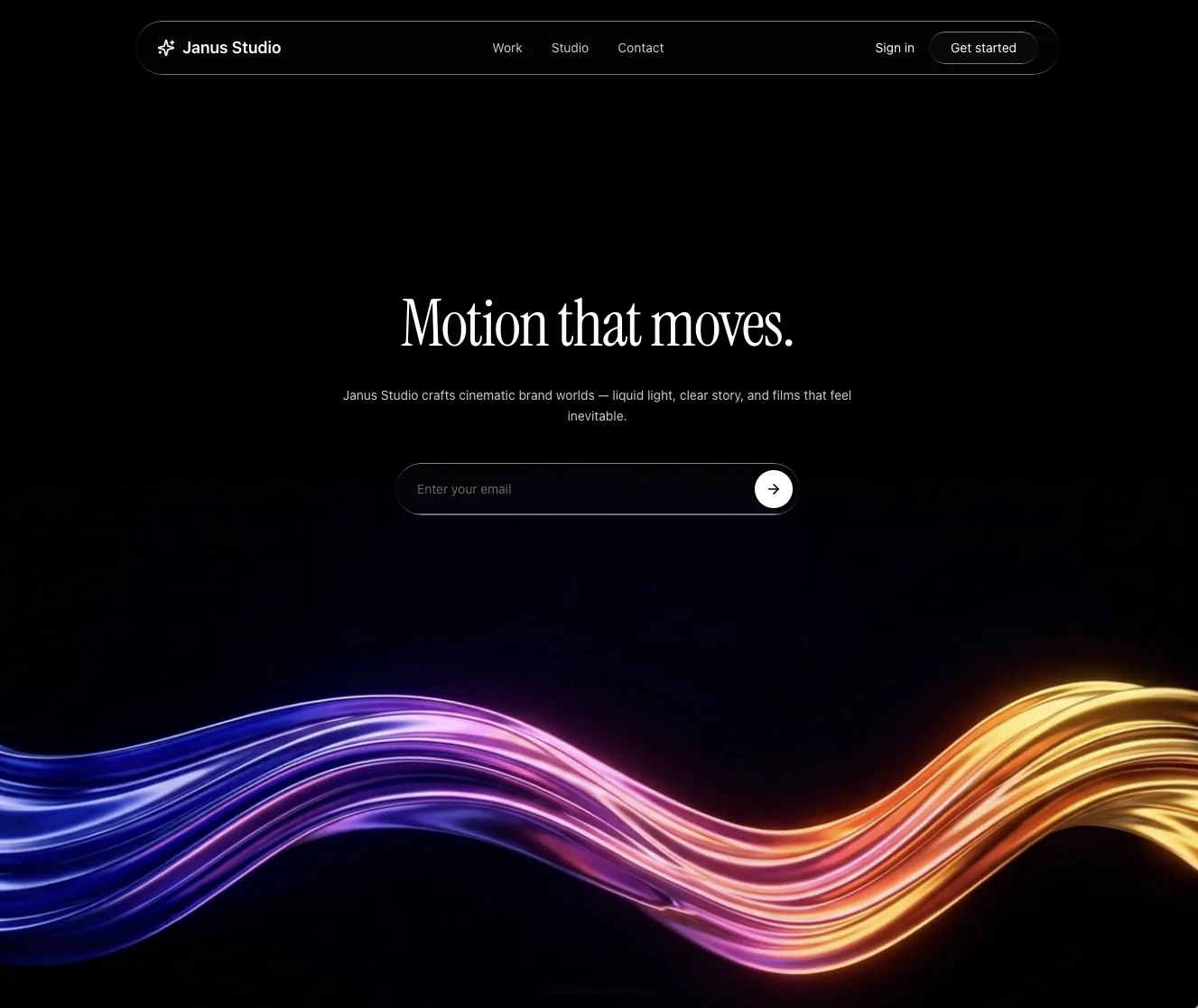
The vault
Grab the second loop.
Here’s the liquid-light background from the second demo. You use the exact same coding prompt from Step 02, you just drop this video in instead.
A sleek, minimalist, high-gloss liquid ribbon wave slowly undulating across the lower third of a pitch-black background. The liquid wave features a vibrant, flowing gradient of metallic colors: deep cobalt blue, ultraviolet purple, glowing electric pink, fiery orange, and bright golden yellow. The texture is ultra-smooth, resembling liquid silk or fluid metallic chrome with realistic reflections and soft highlights. The animation is a gentle, smooth, continuous wave motion. Seamlessly looping 5-second video with identical start and end frames for an infinite, flawless loop. Cinematic lighting, 4K resolution.
Before you ship
- All four video attributes are set (autoPlay, muted, loop, playsInline, or it won’t autoplay on mobile)
- Section background is black (this kills the white flash before the video loads)
- Loop seam is invisible (watch one full cycle and regenerate if it jumps)
- Audio is muted and the video file is compressed for web
- Tested on an actual phone, not just the desktop preview