AI Playbook · Free tutorial
Claude motion videos, step by step.
7 styles, the exact prompts, and the workflow I used to make every one of them with Claude Opus 5.5. No After Effects. No keyframes.
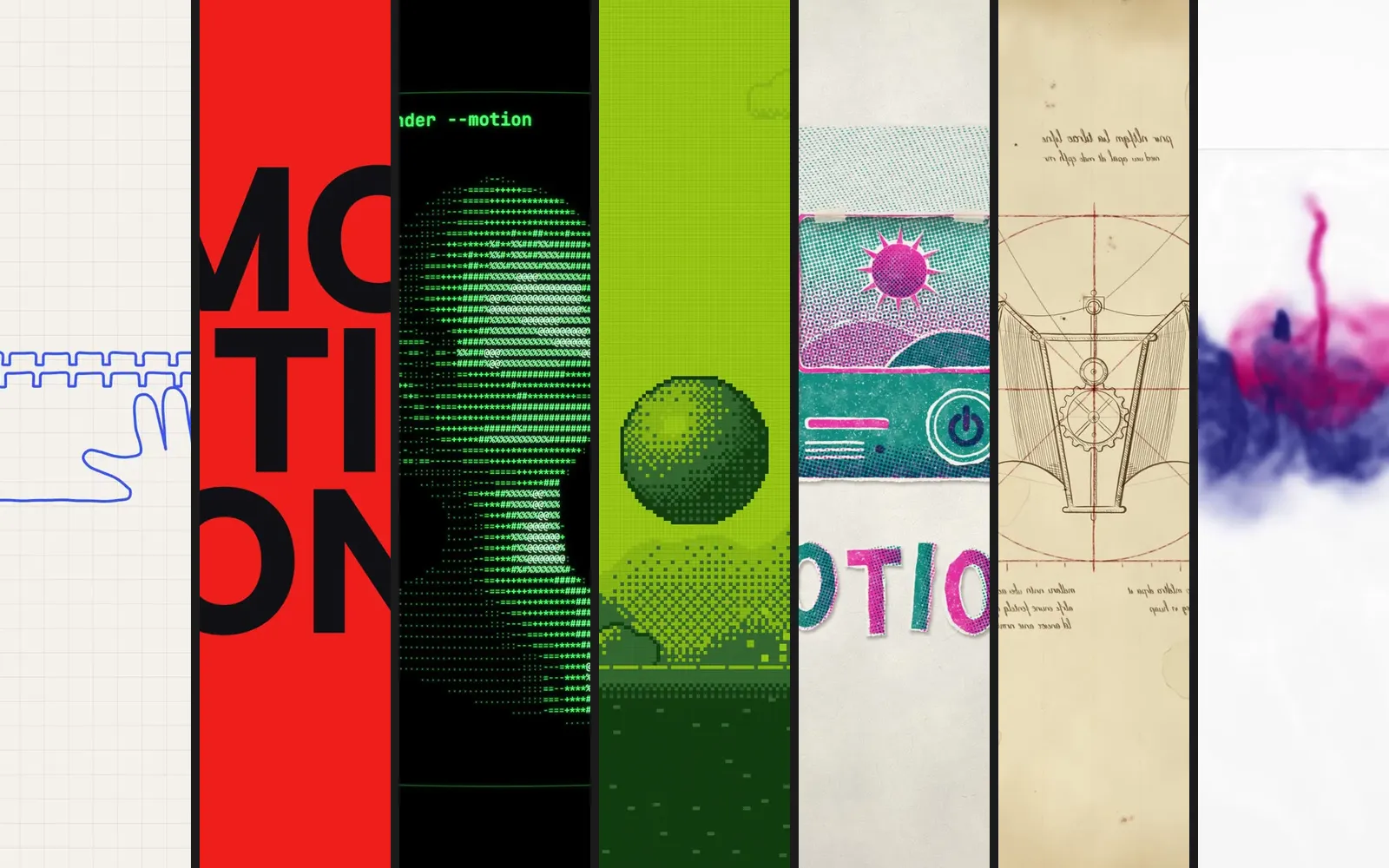
What you’ll make
Seven styles, seven looks
Each style changes the palette, the line quality, the motion and the sound, so no two videos look alike. Every one is under 10 seconds and built for a vertical reel.
| Style | Motion feel | Sound | Difficulty |
|---|---|---|---|
| 01 · One-line graph | Continuous, the pen never lifts | Marimba, pen scratch | Medium |
| 02 · One-ball showreel | Hard snaps, short holds | 128 BPM electronic | Easy |
| 03 · ASCII terminal | Smooth 3D in a rigid grid | Minimal techno, key clicks | Medium |
| 04 · Pixel dither | Stepped, animated on twos | 8-bit chiptune | Easy |
| 05 · Risograph stop motion | Stop motion on threes | Toy piano, paper foley | Medium |
| 06 · Renaissance codex | Hand rhythm, one fast flight | Lute, quill scratch | Hard |
| 07 · Ink in water | Slow motion, organic | Ambient piano, no drums | Hard |
Setup
Set up in five minutes
You need Claude Code and a paid Claude plan. Claude writes every frame as code, then renders it into a video on your computer.
Install Claude Code
Get it from claude.com/claude-code and sign in with your Claude account.
Make a project folder
One folder per video keeps the files clean. Open Claude Code inside it.
Pick Opus 5.5
Type
/modeland choose Opus 5.5.Set effort to high or above
The default is medium. Higher effort means more checking of its own frames, which is what makes motion look polished.
Approve the render tools
The first time, Claude asks to install a video encoder and a headless browser so it can turn the animation into an MP4. Say yes.
mkdir motion-01
cd motion-01
claude
/effort high    # good default for these
/effort max     # best results, burns usage fast
The workflow
Prompt, review, iterate
The same loop works for all seven styles. The storyboard step is the one most people skip, and it saves you the most time.
Paste
Paste a style prompt, then the base block under it. Add a reference image or a frame from a video you like if you have one. Claude can read it and match the look.
Storyboard
Review the storyboard first. You get a beat map with timestamps and 4 key stills. Approve it, or redirect before any code gets written.
Build
Claude builds the animation in code and makes the soundtrack. Music and every sound effect are synthesized, so there’s nothing to license.
Check
Check the contact sheet and the MP4. Claude reviews its own frames first. Then you watch it and point at what to change by timestamp.
Iterate
Change the concept, the colours or the music. Claude edits the same file. It doesn’t start over.
Export
Claude renders the final MP4 into your project folder, ready to post.
The base block
Paste this under every prompt
The style prompts describe what the video looks like. The base block tells Claude how to build it: the format, the soundtrack, and to stop at the storyboard.
FORMAT: 1080x1920 vertical, 30fps, under 10 seconds.
BUILD: one self-contained HTML file. Every frame is drawn on canvas as a pure function of time (seek(t)). No timers, no CSS transitions, seeded randomness only. Render to MP4 with Playwright + ffmpeg.
SOUND: synthesize the music and every sound effect in code. Lock every hit to the visual beat. Mix to -14 LUFS and mux into the MP4.
PROCESS: show me the storyboard first: a beat map with timestamps and 4 key stills as PNGs. Stop and wait for my approval before you build anything. After rendering, export a contact sheet (one frame per beat), review it yourself, fix anything weak, then show me the final.
RULES: keep text out of the top 250px and bottom 400px (Reels UI). No crossfades, no generic gradients, no glow spam, nothing that looks like a template.
Anatomy of a style prompt
| Part | What it does |
|---|---|
| Opening line | What it is, how long, which format. This line alone already makes a decent video. |
| Idea | The one device that carries the whole film. One idea, not a feature list. |
| Beats | One line per time range: what’s on screen, what moves, the exact words. |
| Look | Background, palette with hex codes, type, texture. |
| Motion | Where it’s fast, where it holds, how scenes hand over. |
| Sound | Tempo, instruments, and one sound for each action. |
Style 01 / 07
One continuous line
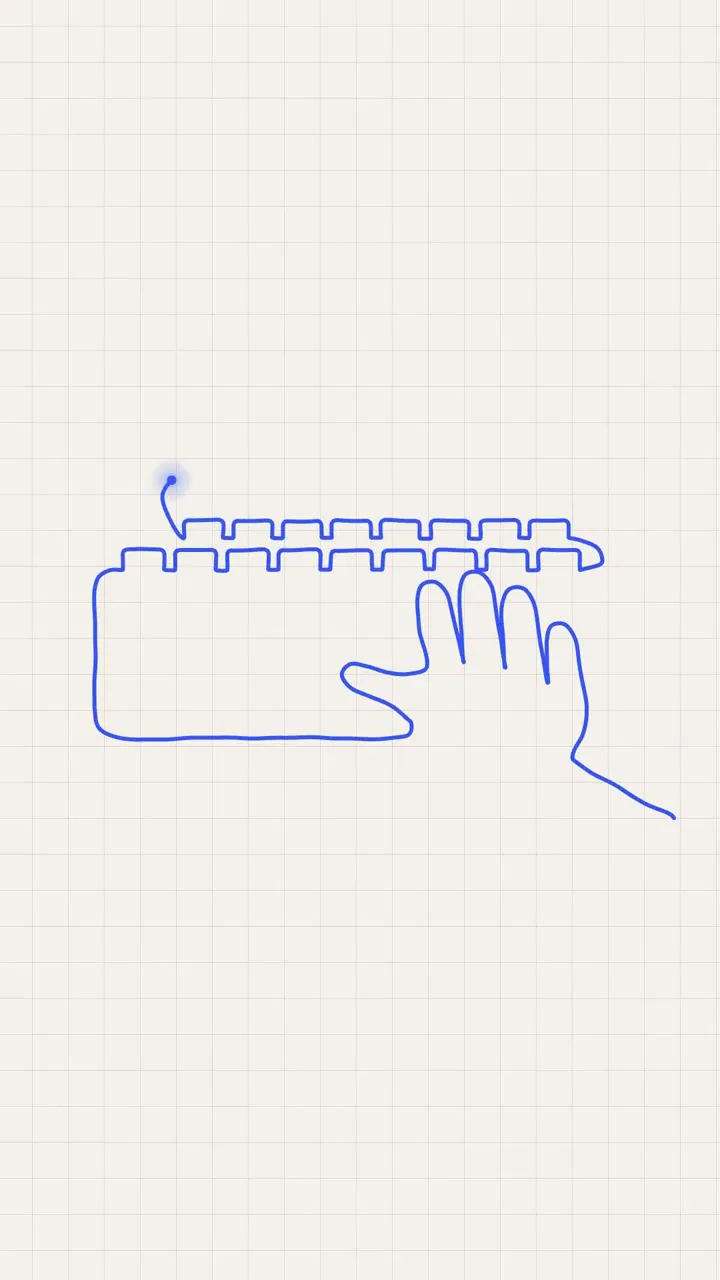
A single blue pen stroke starts as a line graph, then keeps drawing new shapes without ever lifting.
- #F4F1EA
- #DAD5CA
- #2F5BFF
- Length
- 8 sec
- Motion
- Continuous, the pen never lifts
- Sound
- Marimba, pen scratch
- Level
- Medium
An 8-second vertical motion graphic drawn entirely with ONE continuous line that never breaks or lifts.

IDEA: a single electric-blue line starts as a line graph, then peels off the chart and keeps drawing, turning into new shapes. The line is the only moving thing. It ends by writing "motion" in continuous script.

0-1.5s: off-white graph paper, faint grid. A dot appears bottom left and draws a jagged line graph left to right, values climbing. Axis ticks pop in as it passes.
1.5-3.0s: at the peak the line overshoots the chart, loops once, and the whole graph unravels into the same line pulling upward.
3.0-4.5s: the line draws a single-line portrait of a hand on a keyboard, one stroke, like a continuous-line illustration.
4.5-6.0s: the hand unravels and the line spirals into a play button shape, then a soundwave that pulses three times.
6.0-8.0s: the wave flattens and writes "motion" in one continuous script stroke, centred. A small mono caption "ONE LINE. ONE PROMPT." fades up beneath. Hold.

LOOK: off-white #F4F1EA, grid lines #DAD5CA at 1px, line in electric blue #2F5BFF at 6px with a round cap and a very slight ink wobble. A small glowing dot at the pen tip. No fills, no other colours, no shadows.
MOTION: the pen tip moves at a steady drawing speed, accelerating only on long straight runs. Each new shape forms by the old one unravelling, never by cutting or fading. The camera drifts slowly to follow the pen tip.
SOUND: light marimba and plucked bass around 110 BPM. A soft pen-scratch texture that follows the drawing speed, a tick on each axis mark, a bright pluck as each new shape completes. No narration.
Style 02 / 07
The one-ball showreel
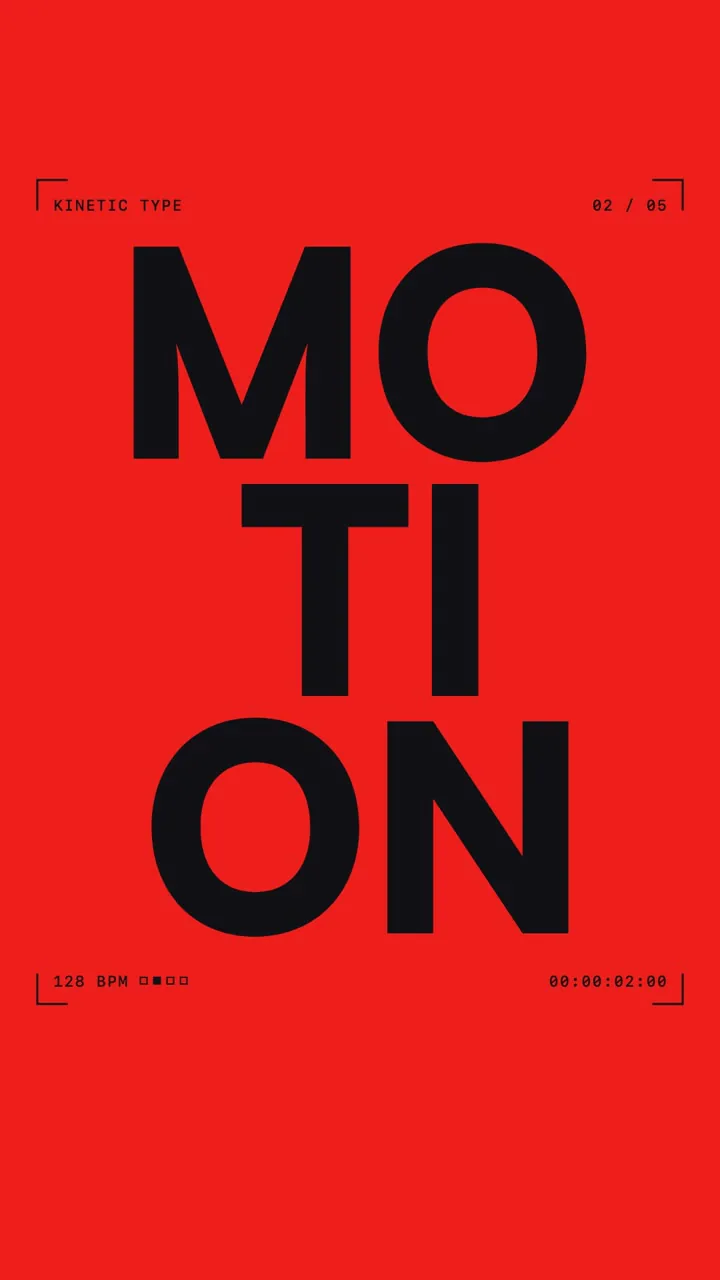
Five motion techniques in eight seconds, all carried by one red ball. Built on the prompt that went viral.
- #111116
- #EFEBE4
- #FF3319
- #2A42FF
- Length
- 8 sec
- Motion
- Hard snaps, short holds
- Sound
- 128 BPM electronic
- Level
- Easy
Make a dynamic 8-second motion graphics video that shows what an incredible motion designer you are, like it's your showreel for a résumé. Go all out.

IDEA: one small red ball (#FF3319) is in every shot. Each chapter is a different motion technique acting on it. At the end it becomes the full stop of the word "MOTION".

0-1.2s: off-black frame, white ground line. The ball drops and bounces three times with real squash and stretch, then scales up to flood the screen red.
1.2-2.6s: on red, "MOTION" slams in letter by letter in huge black heavy grotesque caps. A white line slices it, the halves slide apart and snap back.
2.6-4.0s: cream background. A rotating sphere of dots orbits the ball, flattens into a ring, a black circle swallows it.
4.0-5.2s: a grid of dots ripples out from the ball and flips into red, white and cobalt diamonds in waves. A cobalt circle wipes.
5.2-6.4s: segmented rings rush toward camera around the ball like a tunnel, then collapse to black.
6.4-8.0s: the ball bursts into shards that snap together into "MOTION" with the ball as its full stop. "MADE WITH CLAUDE" types on beneath in small mono caps. Hold.

FRAME: thin overlay throughout: corner brackets, chapter counter "01 / 05" top right, running timecode bottom right, all inside the safe zone.
LOOK: off-black #111116, cream #EFEBE4, red #FF3319, cobalt #2A42FF. Flat shapes only. Extra-bold geometric grotesque plus monospace labels.
MOTION: snaps of 2-4 frames against short readable holds. Real weight on bounces. Hard cuts on the beat.
SOUND: 128 BPM electronic beat, crisp hats, sub bass. Wooden thud on each bounce, clicks per letter, a blade slice, ticks on the grid flips, a riser into the tunnel, a beat of silence, then a shatter and deep bass hit on the wordmark. No narration.
Style 03 / 07
ASCII terminal
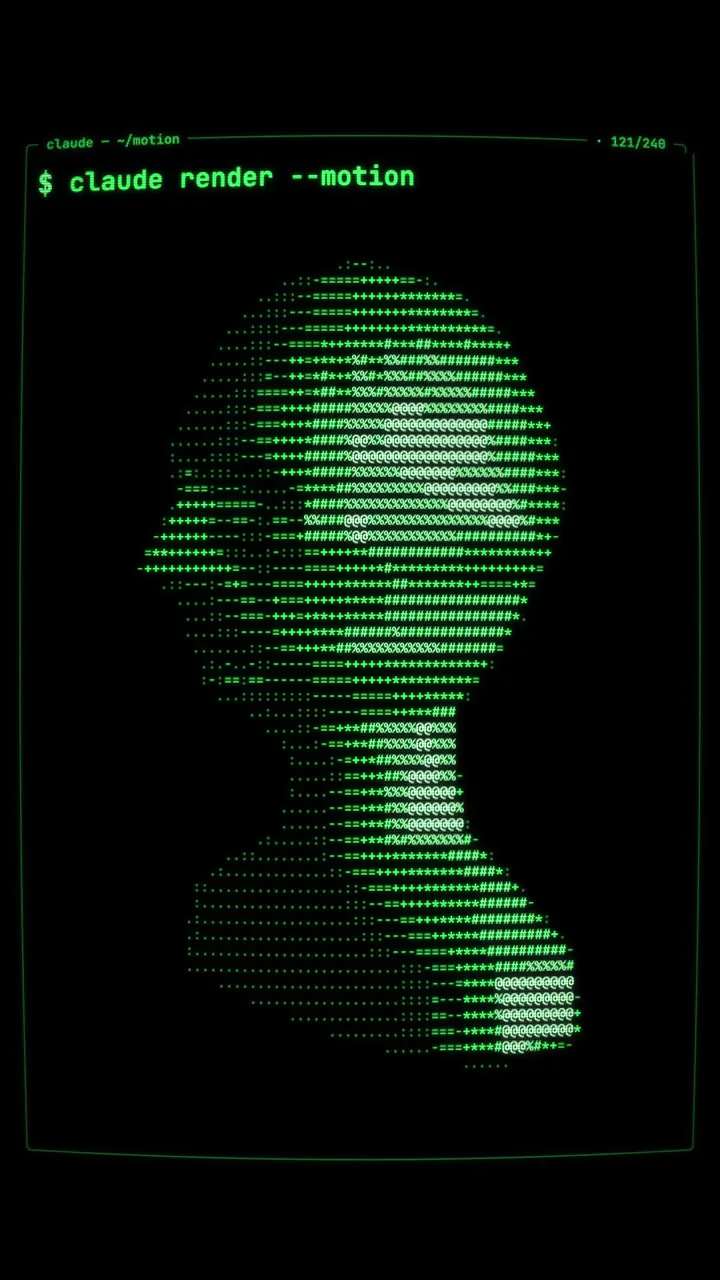
A 3D head built only from text characters, spinning inside a terminal. It looks like Claude Code is drawing it.
- #000000
- #33FF66
- Length
- 8 sec
- Motion
- Smooth 3D in a rigid grid
- Sound
- Minimal techno, key clicks
- Level
- Medium
An 8-second vertical motion graphic where everything is rendered ONLY with monospace text characters, like a 3D demo running inside a terminal.

IDEA: a 3D object made entirely of ASCII characters spins inside a terminal window. Brightness maps to characters: " .:-=+*#%@". It feels like Claude Code itself is drawing.

TECH: render 3D geometry yourself, sample brightness into a character grid of about 90 columns, and draw each cell as a monospace glyph. No pixels outside the glyph grid.

0-1.0s: black terminal. A blinking cursor types "$ claude render --motion" character by character.
1.0-3.0s: an ASCII torus fades up from sparse dots to dense characters and spins in 3D. Lighting rotates so the characters ripple from "." to "@".
3.0-4.5s: the torus morphs into a rotating ASCII human head (simple low-poly bust), still spinning.
4.5-5.5s: glitch: rows of characters shift sideways, some cells flip to random symbols, then lock back.
5.5-7.0s: the head shatters into falling characters that pile up at the bottom, then fly up and arrange into a huge ASCII-art "MOTION".
7.0-8.0s: a status line types beneath: "rendered 240 frames. 0 keyframes." Cursor blinks. Hold.

LOOK: pure black #000000. Characters in phosphor green #33FF66 with a faint glow, brightest characters slightly whiter. Subtle CRT curvature, scanlines and flicker. One monospace font throughout.
MOTION: smooth 3D rotation inside a rigid character grid. Typing is linear. Glitches are 2-3 frames.
SOUND: dark minimal techno around 124 BPM. Mechanical keyboard clicks for typing, a CRT hum underneath, data chirps on the glitch, a cascade of tiny ticks as the characters fall, a deep hit when "MOTION" locks. No narration.
Style 04 / 07
Pixel dither
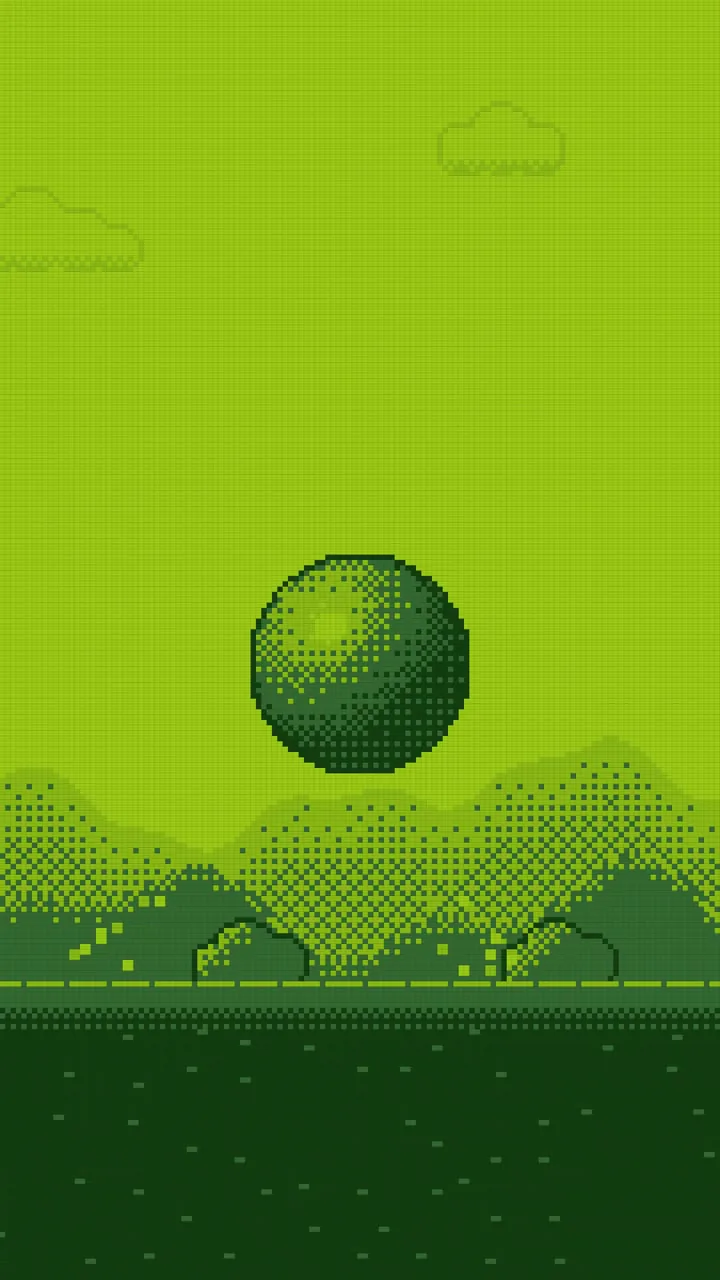
A smooth sphere collapses into Game Boy pixels, then bounces through a dithered world.
- #0F380F
- #306230
- #8BAC0F
- #9BBC0F
- Length
- 8 sec
- Motion
- Stepped, animated on twos
- Sound
- 8-bit chiptune
- Level
- Easy
An 8-second vertical motion graphic in low-resolution pixel art with dithering, like a lost Game Boy demo.

IDEA: a smooth, high-res object collapses into pixels, then everything after is pure pixel art. The resolution itself is the effect.

TECH: render the pixel scenes at 135x240, then upscale to 1080x1920 with nearest-neighbour. No anti-aliasing. Use ordered Bayer dithering for all shading. Strict 4-colour palette.

0-1.2s: a smooth, shiny 3D sphere floats in the centre at full resolution.
1.2-2.4s: the resolution steps down on the beat: 1080 → 270 → 68 → 135x240 grid. The sphere becomes a dithered pixel ball.
2.4-4.0s: the pixel ball bounces across a scrolling pixel landscape with parallax hills. Each bounce kicks up 2x2 pixel dust.
4.0-5.2s: glitch: horizontal pixel-sort smears tear across the screen for half a second, then snap clean.
5.2-6.6s: the ball explodes into individual pixels that swarm and reassemble into the chunky pixel word "MOTION".
6.6-8.0s: "MOTION" bounces once, a blinking cursor appears, and "PRESS START" blinks below in tiny pixel font. Hold.

LOOK: Game Boy palette only: #0F380F, #306230, #8BAC0F, #9BBC0F. Thin scanline overlay at low opacity and a faint LCD pixel grid. No gradients except dithering.
MOTION: stepped and chunky. Animate on twos (12fps feel) inside the 30fps render. Snaps are instant, holds are short.
SOUND: 8-bit chiptune around 140 BPM made from square and triangle waves plus a noise channel. A blip on each resolution step, a boing on each bounce, a crunchy bitcrushed burst on the glitch, a rising arpeggio as the pixels reassemble, and a classic coin chime on "PRESS START". No narration.
Style 05 / 07
Risograph cutout
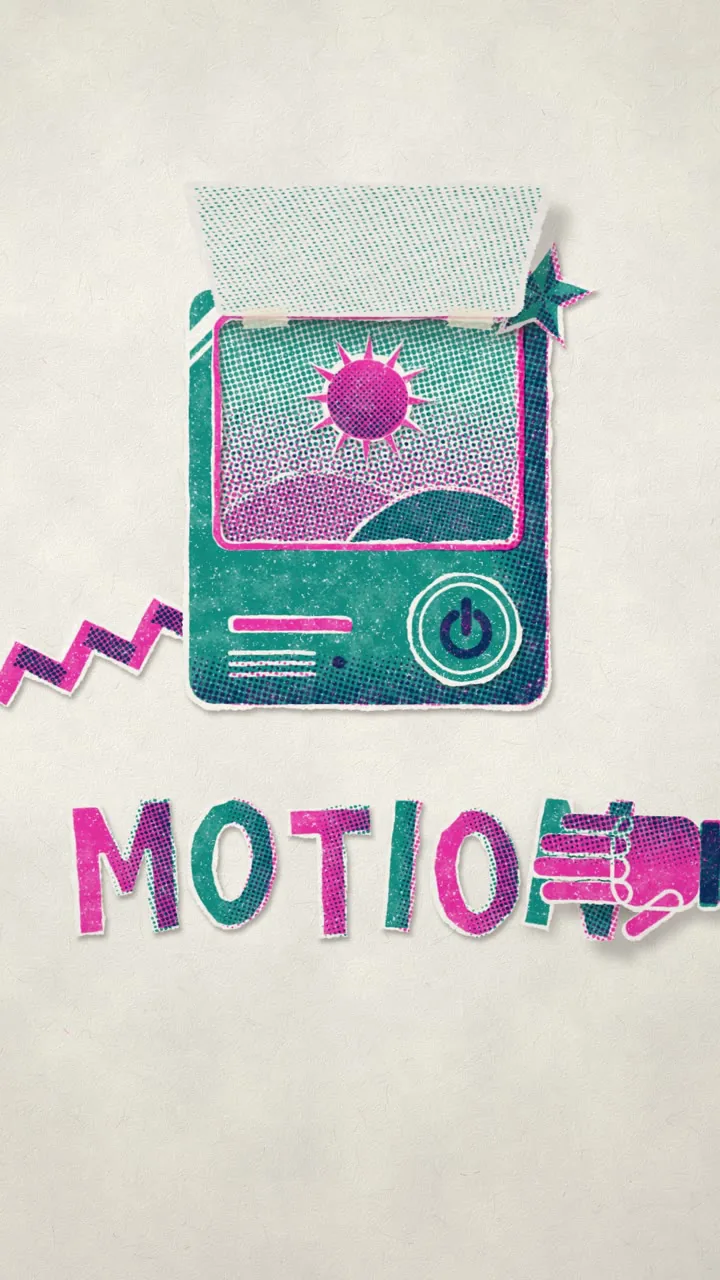
Paper shapes in two riso inks slide, flip and stack like a handmade stop-motion short. Imperfect on purpose.
- #F3EFE6
- #FF48B0
- #00838A
- Length
- 9 sec
- Motion
- Stop motion on threes
- Sound
- Toy piano, paper foley
- Level
- Medium
A 9-second vertical motion graphic that looks like risograph-printed paper cutouts animated in stop motion.

IDEA: flat paper shapes in two riso inks slide, flip and stack on a desk like a handmade stop-motion short. Imperfect on purpose.

0-1.5s: textured paper background. Cutout shapes slide in from all sides in stop motion: a circle, a zigzag, a hand, a star. Each has a small drop shadow and slightly ragged edges.
1.5-3.0s: the shapes pile up into a cartoon computer. Its screen flips open like a paper flap.
3.0-4.5s: inside the flap, a paper sun rises and a paper film strip unrolls across the frame.
4.5-6.0s: the film strip folds like an accordion, each panel showing one letter.
6.0-7.5s: the panels pop up flat into "MOTION" in chunky cut-paper letters. A paper hand slides in and pats the last letter down.
7.5-9.0s: confetti scraps fall and settle. A tiny stamped label "MADE BY CLAUDE" thumps into the corner. Hold.

LOOK: off-white uncoated paper #F3EFE6 with fibers. Two riso inks only: fluoro pink #FF48B0 and teal #00838A, plus their overprint mix. Visible halftone dots in shading, ink grain, and slight misregistration (pink offset 3px from teal). Paper drop shadows that are soft and short. No clean vector look.
MOTION: animate on threes (about 8fps feel) inside the 30fps render, with tiny frame-to-frame jitter on every shape like real stop motion. Squash on landings.
SOUND: playful lo-fi with a toy piano, upright bass and brushed snare, around 100 BPM. Paper slides and rustles, a soft card thump on each landing, a flap whoosh, an accordion squeeze on the fold, a rubber stamp thunk at the end. No narration.
Style 06 / 07
Renaissance codex
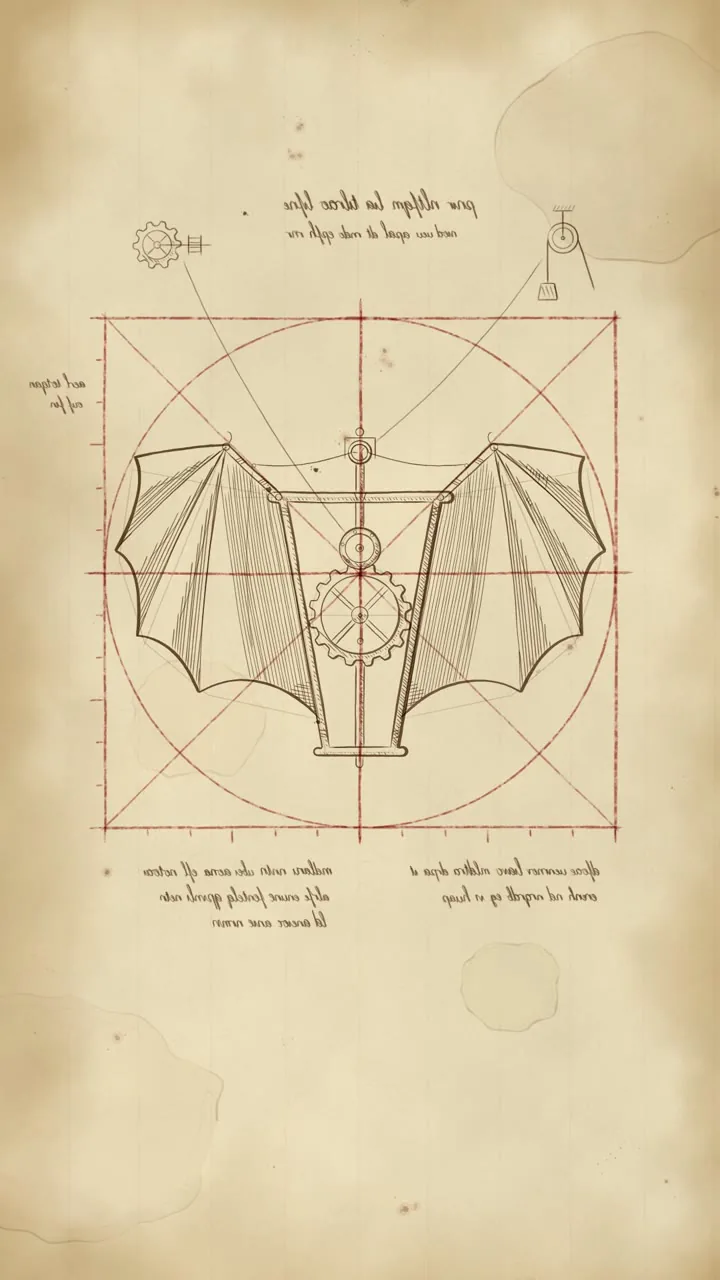
A quill draws an original flying machine on parchment, then the drawing comes to life and flies off the page.
- #E9D9B5
- #5A3A1E
- #A4452C
- Length
- 9 sec
- Motion
- Hand rhythm, one fast flight
- Sound
- Lute, quill scratch
- Level
- Hard
A 9-second vertical motion graphic in the style of a Renaissance inventor's notebook. It must be an original drawing, not a copy of any real Da Vinci page.

IDEA: a quill draws an invention on aged parchment: construction lines first, then hatching, then annotations. The finished drawing comes to life and flies off the page.

0-1.5s: aged parchment fills the frame. A red chalk circle and square draw as construction geometry, with proportion lines and small measurement ticks.
1.5-3.5s: sepia ink draws an original flying machine inside the geometry: a wooden frame, gears, and two bat-like wings. Lines go down construction first, then outlines, then cross-hatching for shadow.
3.5-4.5s: small annotations in mirror-written, unreadable script fill the margins, plus tiny side diagrams of a gear and a pulley with leader lines pointing to the machine.
4.5-6.5s: the gears start turning, the wings flap with real follow-through, and the ink drawing lifts off the page. Its cast shadow stays on the parchment.
6.5-9.0s: the machine flies up out of frame. The page turns, and on the new page "MOTION" is drawn in sepia ink with a calligraphic flourish. Hold.

LOOK: parchment #E9D9B5 with stains, foxing and soft vignette. Sepia ink #5A3A1E with varied line weight and occasional ink blots. Red chalk #A4452C for construction lines only. Cross-hatching for all shading. Everything looks hand-drawn with slight wobble. No digital gradients or glows.
MOTION: unhurried drawing speed with a natural hand rhythm: fast strokes, small pauses between them. The flight is the only fast moment. The page turn has real paper curl and shadow.
SOUND: solo lute or harpsichord, slow and warm. Quill scratching that follows every stroke, a soft tap on each ink blot, wooden creaks and clicks when the gears turn, wing flaps, a paper rustle on the page turn. No narration.
Style 07 / 07
Ink in water
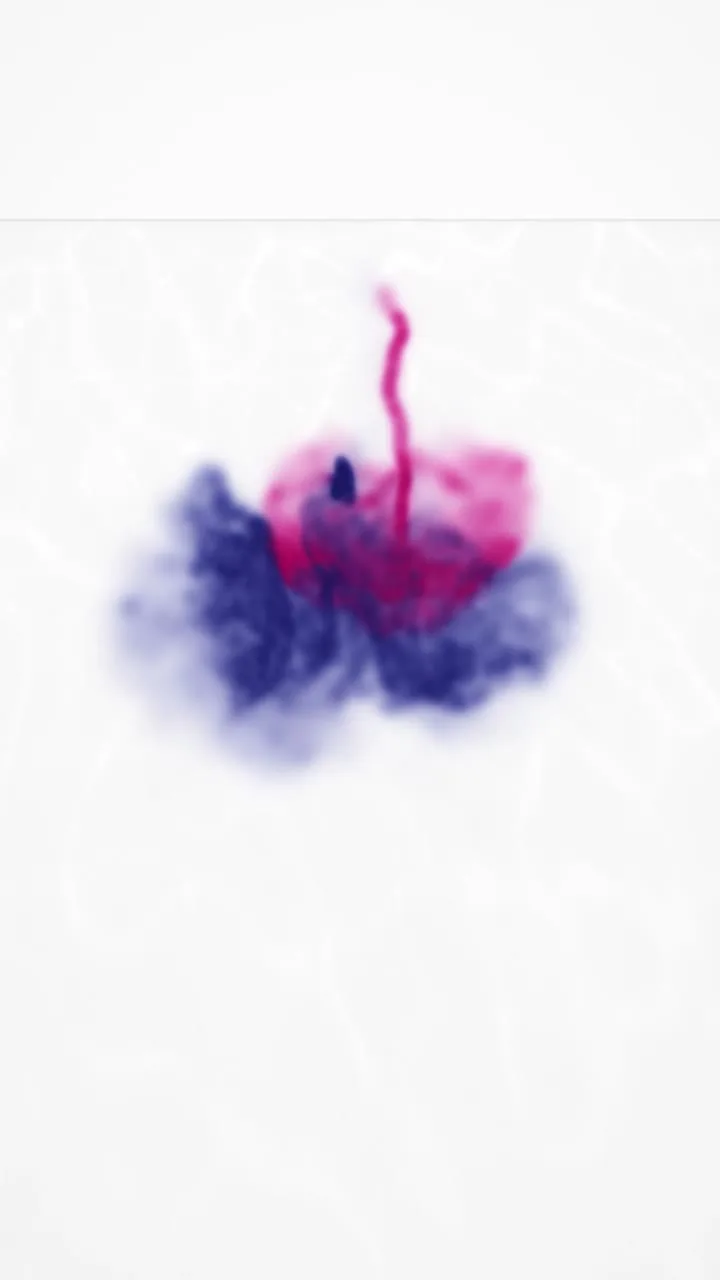
Thousands of particles behave like ink dropped in water, then slowly condense into a word.
- #FAFAFA
- #1B1F6B
- #C2185B
- Length
- 9 sec
- Motion
- Slow motion, organic
- Sound
- Ambient piano, no drums
- Level
- Hard
A 9-second vertical motion graphic of ink dropped into water, built from a particle simulation, that blooms into letters.

IDEA: about 30,000 particles behave like ink in water: they fall, curl and bloom in slow motion, then a flow field gently pulls the cloud into the word "MOTION", which dissolves again.

TECH: simulate particles with curl noise for turbulence, slight gravity and drag. For the letter phase, blend each particle toward a target point sampled from the word's shape. Draw with additive blending at low opacity so dense areas build up rich colour. Seeded randomness so renders are repeatable.

0-1.0s: pure white water tank, a faint surface line at the top. A single drop of ink hits the surface.
1.0-3.5s: the ink plunges and blooms into a slow mushroom cloud, curling tendrils spreading in deep indigo.
3.5-4.5s: a second drop of magenta falls. Where colours overlap they mix into violet swirls.
4.5-7.0s: the turbulence calms. Every particle drifts toward the letterforms, and the cloud slowly condenses into "MOTION", tendrils still curling at the edges.
7.0-9.0s: the word holds for one second, then the bottom edge begins to dissolve back into drifting smoke. End mid-dissolve.

LOOK: clean white #FAFAFA water with subtle caustic light ripples. Ink colours: deep indigo #1B1F6B, magenta #C2185B, and their violet mix. Soft, silky, macro-photography feel. No hard edges, no outlines.
MOTION: slow motion throughout, like 1000fps footage played back. Organic, never linear. The letter formation is gradual, not snapped.
SOUND: cinematic ambient, slow piano notes with long reverb, no drums. A deep underwater plunk on each drop, low muffled rumbles as the ink blooms, a soft rising swell as the letters form, then a long fading tone. No narration.